Eden Garden Designer version history
Notes from the Head Gardener at Herbaceous Software, collected from the original Eden blog. They show how the garden design app grew, one feature request at a time. Latest: Eden is being rebuilt.
-
Submitted to Apple
After months of planning, revising, designing and dreaming, Eden Garden Designer was submitted to Apple for review, with more features and plants already on the way.
-
Eden is alive on the App Store
Eden appeared on the App Store. Users were invited to send feature ideas for the garden design app, with credit (and maybe some flowers) for any idea that made it in.
-
Tip: planting on your own background
To plant on your own photo you define the plantable area (the shape of the bed) by placing Adam and Eve at diagonal corners. If both sit on the front or back corners, the area is zero and nothing can be planted. Clearer in-app instructions followed.
-
Version 1.1 submitted, demo video added
Two new plants (snow-in-summer and California poppy), new Help pages, easier plantable area setup, optimizations and bug fixes. A YouTube demo covering the basics was added to the website.
-
Version 1.1 released
"The new version is here!" Version 1.1 arrived in iTunes updates with its fixes, Help menu, new flowers and snappier performance.
-
Next update previewed
Coming features: seasons, to see your garden in different times of year; auto GPS zones, so Eden detects your North American hardiness zone and shows which plants will and won't do well; and a plant list for shopping.
-
Version 1.2: blooming season and plant list
A major release. Blooming Season shows how your garden looks at different times of the year, the key to planning blooms from spring to fall. Plant List creates a shopping list of every plant in your design. New plants: bellflower, crocosmia, loosestrife and veronica (speedwell), plus performance improvements.
-
Version 1.3
Bug fixes and new plants. The top request was always more plants, but bundling every plant would have made Eden too large to download over the air, so a better solution was in the works.
-
Version 1.4
Compatibility with iOS 4.
-
Eden Garden Center announced
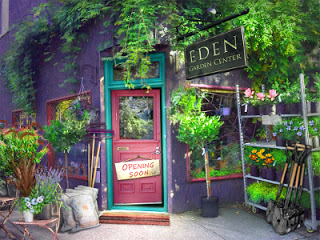
Eden 2.0 would introduce the Garden Center, where you choose which plant packs, backgrounds and garden elements to download instead of filling your device with hundreds of plants.
-
Garden Center beta
Beta testing for the Eden Garden Center opened in February 2011.
-
Eden 2.0 submitted
Out of beta with the new Garden Center, bug fixes and custom backgrounds free of resolution issues, just in time for spring planting.
-
Eden Garden Center now open
A new Garden Center button on the home screen. Each themed plant pack holds 20 plants or garden features plus a new background. Once downloaded, plants work on any background, Eden's or your own. User requests were collected until there were 20, then turned into a pack.
-
New plant pack: Suburban Shade
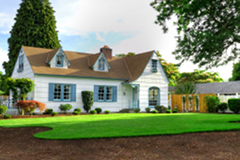
Shade-loving plants for yards with 3 hours of sun or less, some annuals, and more shrubs and structural plants. Water Garden and Rock Garden packs were planned next.
-
Eden is being rebuilt
Eden Garden Designer is back in the potting shed. We are revamping the app from the ground up, starting with the ideas gardeners wrote in about most over the years: planting on a photo of your own yard, knowing which plants suit your hardiness zone, seeing the garden through every season, and always more plants. New release notes will be added here as the new version takes shape.
Want to put these features to work in your own yard? Read how to design a flower garden.